


Clock Hidden Camera with WiFi: What to Look For
19th Nov 2026
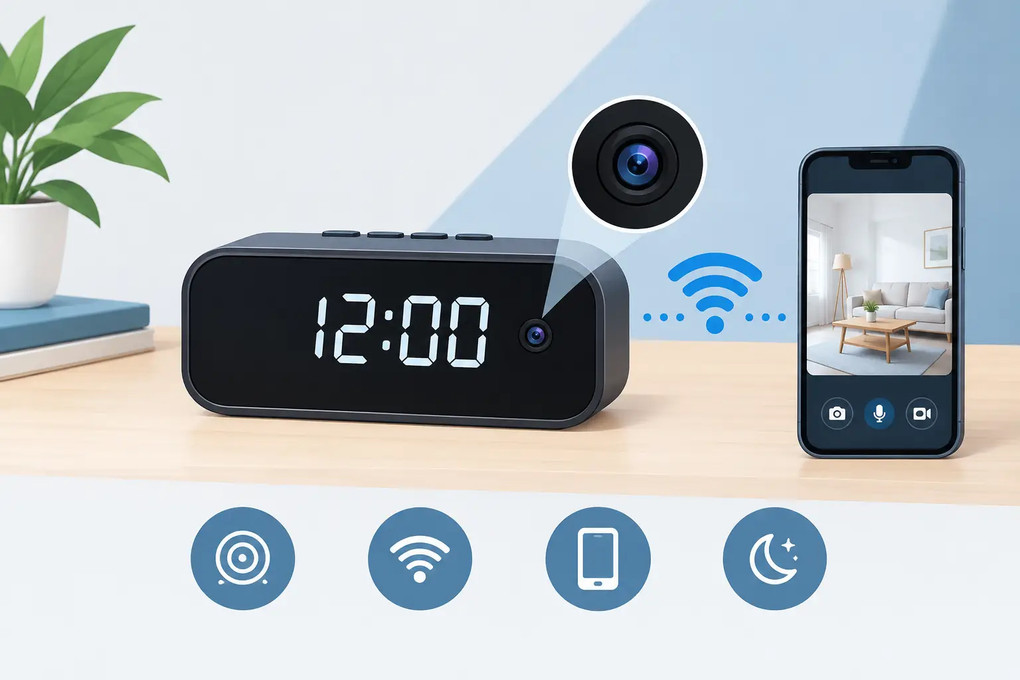
A clock belongs on a desk, shelf, nightstand, or reception counter, which makes it one of the most practical disguises for security monitoring. A clock hidden camera with WiFi gives you a normal-looking room accessory while allowing live viewing, motion alerts, and recorded video from a phone when properly configured. The value is not just concealment. It is the ability to check a location without placing an obvious camera in the middle of it.
For homeowners, this can mean keeping an eye on an entry area, valuables, or a caregiver interaction in a shared living space. For a small-business owner, it may mean documenting activity near a register, office, stockroom, or front desk. The right model depends on where it will sit, how long it needs to record, and whether live remote access is essential.
Choosing a Clock Hidden Camera with WiFi
Start with the clock itself. A good concealed camera should look appropriate for the room and work naturally as a clock. Consider its size, display style, color, and the angle at which it will be seen. A large digital alarm clock may fit a bedroom or break room; a compact desk clock can make more sense in an office, den, or reception area.
Camera position matters just as much as the disguise. The lens must have a clear view of the activity you need to capture. Placing a clock behind tall décor, near a window that creates glare, or pointed toward a blank wall defeats the purpose. Before final placement, check the camera view in the mobile app from the same height and angle where the clock will remain.
A clock camera is usually best for a room-level view, not close facial detail across a large open area. If identification at greater distance is the priority, look for higher resolution, a wider field of view, or a purpose-built camera placement that brings the lens closer to the coverage area. More resolution helps, but placement still determines whether the footage is useful.
WiFi Access, Live Viewing, and Recording
WiFi gives a clock camera its remote-monitoring advantage. Once connected to a supported home or business network and paired with its app, the camera can send motion notifications and allow live viewing when you are away. This is useful when you need to check on a property during work hours, travel, or an unexpected alert.
Do not assume every WiFi camera works with every router band. Many concealed cameras connect to 2.4 GHz WiFi, which generally provides better range through walls than 5 GHz. Some specialized models support 5 GHz networks, but compatibility should be confirmed before purchase, especially in businesses or newer homes configured around 5 GHz-only connections. A dual-band router does not automatically solve the issue if the app requires setup on a specific band.
WiFi is not the same as recording. A reliable surveillance plan usually includes local DVR or microSD-card recording so video can still be saved if the internet goes down, the app is temporarily unavailable, or the camera loses its network connection. Depending on the model, recording may be continuous, motion activated, or scheduled. Motion recording conserves storage and makes reviewing events faster. Continuous recording provides a fuller timeline but requires more memory and more frequent file management.
For locations with intermittent internet, local recording may be more valuable than live streaming. For active situations where a prompt response matters, such as monitoring an elderly relative in a common area or receiving an after-hours business alert, WiFi notifications and remote viewing become the deciding features.
Power Is the Feature Buyers Overlook
A plug-in clock camera is usually the best choice for long-term monitoring. It can remain powered around the clock, supporting continuous recording or frequent motion alerts without the maintenance of recharging a battery. This makes it a strong fit for a desk, bedroom, living room, lobby, or office where the clock can naturally sit near an outlet.
Battery-powered clock cameras offer more placement flexibility, but run time varies sharply based on recording mode, WiFi use, night vision, motion activity, and live viewing. A battery that lasts a long time in standby can drain quickly when the camera is actively streaming or recording repeated movement. If you need dependable coverage every day, choose a setup that matches the actual power available at the installation point.
Also consider what happens during a power interruption. Some models resume operation automatically once power returns, while others may require a manual reset or reconnection. For security monitoring, that detail can matter more than an extra feature on the product specification sheet.
Video Quality, Night Vision, and Motion Alerts
Resolution is only one part of evidence-quality footage. Look at the field of view, low-light performance, and whether the camera is positioned to capture the right area. A wide-angle lens covers more of a room but can make distant details appear smaller. A narrower view can provide more usable detail within a specific zone.
Night vision is particularly important in rooms where lights are turned off overnight or in offices and businesses after closing. Infrared capability can capture activity in low light, although results vary by distance, room size, reflective surfaces, and ambient lighting. Test the view in real conditions rather than judging only from daytime video.
Motion alerts should be treated as a screening tool, not a guarantee that every event will be perfectly identified. A camera facing a busy hallway, television, window, fan, or pet area can generate frequent notifications. Position it toward the area of concern and adjust sensitivity when the app allows it. The goal is an alert system you will pay attention to, not a phone that buzzes all day.
If audio recording is available, verify the laws that apply before enabling it. Audio-consent rules differ by state and can be stricter than video rules. Video surveillance should never be used in bathrooms, bedrooms used by guests or employees, changing areas, or any place where people reasonably expect privacy.
Installation That Does Not Draw Attention
The strongest installation is usually the least complicated one. Put the clock in a believable location, connect it to reliable power if applicable, and complete WiFi setup before placing it in service. Confirm the time display works, review the live camera angle, trigger a few motion events, and check that recordings can be played back from the storage method you selected.
Secure the camera account with a unique password, keep the companion app updated, and do not share account access more broadly than necessary. If other household members or authorized managers need access, use the app's sharing controls where available instead of giving out a primary login.
Pay attention to WiFi signal strength at the clock's final location. A camera may connect successfully during setup near the router and become unreliable once moved to a distant room, basement, detached office, or area surrounded by dense walls. Test remote viewing from cellular service as well as from the local network. That confirms the real-world experience you will have when away from the property.
Matching the Clock Camera to the Situation
For a home, a clock camera often works best in a common area where it can monitor entrances, interaction around valuables, or the general activity in a room. For caregiver or nanny monitoring, use it only in lawful shared spaces and make sure the viewing angle addresses a specific safety concern rather than collecting unnecessary private activity.
For a business, place the device where the clock makes sense and the camera can document an operational risk: a reception desk, office entrance, merchandise area, storage access point, or register zone. A clock camera is not a substitute for visible security systems where deterrence is the goal. It is designed for discreet observation and documented review when concealment is necessary.
Custom Wifi Spy Cameras offers purpose-built clock configurations alongside WiFi, recording, night-vision, and support options, so buyers can select equipment based on coverage needs instead of forcing one device into every scenario.
The best clock camera is the one that blends naturally into the room, stays powered, connects reliably, and records the moments that matter. Choose the location first, then select the features that make that location genuinely monitorable.