


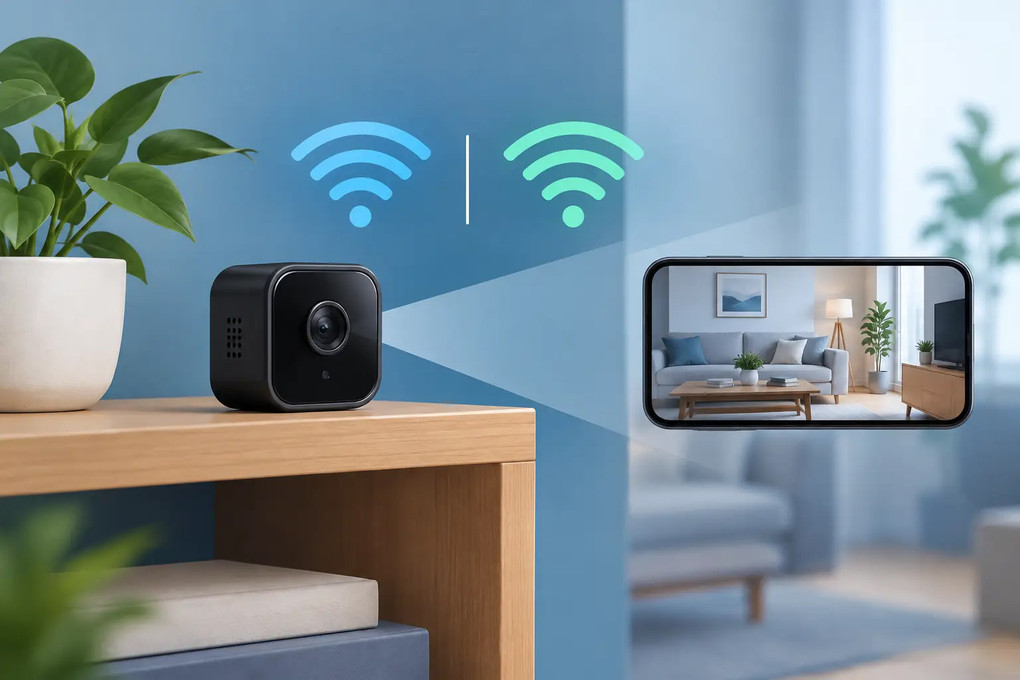
Dual Band WiFi Camera for Reliable Hidden Monitoring
16th Nov 2026
A dual band wifi camera solves a frustrating problem: a camera can be placed perfectly, charged, and ready to record, yet still lose its connection when the home network gets busy. For discreet monitoring in a nursery, office, entryway, storage room, or vacation property, reliable WiFi matters as much as video quality. A camera that can connect to either 2.4 GHz or 5 GHz gives you more flexibility to place it where it is useful without making the device obvious.
For concealed cameras built into everyday objects, that flexibility is especially valuable. A clock camera, phone charger camera, smoke detector camera, or tissue box camera should look like it belongs in the room. You should not have to move it into plain sight just to find a workable signal.
What Is a Dual Band WiFi Camera?
A dual band WiFi camera supports both major home WiFi frequencies: 2.4 GHz and 5 GHz. Rather than being limited to one network band, it can use the band that makes the most sense for its placement and your network conditions.
The 2.4 GHz band generally reaches farther and handles walls better. It is often the practical choice for a detached garage, a back room, a front-door placement, or a camera positioned far from the router. The trade-off is congestion. Many everyday devices use 2.4 GHz, including smart plugs, appliances, baby monitors, and older wireless equipment. In a crowded home or office, that traffic can affect live viewing and alert delivery.
The 5 GHz band usually provides more available capacity and can support smoother live video at closer range. It is useful for a camera in an office, living room, hallway, or other location near the router or a mesh access point. Its shorter range is the compromise. Thick walls, floors, brick, metal, and large appliances can weaken a 5 GHz signal faster than 2.4 GHz.
A dual band WiFi camera does not make distance disappear. It gives the camera a better chance of finding the right connection for the job.
Why Two WiFi Bands Matter for Discreet Security
Visible outdoor cameras can often be moved or mounted higher when signal problems appear. Hidden cameras have different requirements. Their value comes from a natural placement inside a functional object, where they can monitor a room without announcing themselves.
That means the network needs to work around the camera, not the other way around. A dual band model can reduce setup limitations in places where a single-band device may struggle. If 2.4 GHz is crowded, the camera may perform better on 5 GHz. If the camera is farther from the router, 2.4 GHz may be the more dependable choice.
This matters when you need live remote viewing from a phone. A camera may still record locally to a memory card during a connection interruption, depending on the model and settings, but remote access, instant motion alerts, and live viewing all depend on a stable network connection. Dual-band capability can help keep those features available when they matter.
For a small business owner, that could mean checking a cash-wrap area or supply room without visiting the location. For a parent or caregiver, it can mean viewing a nursery or common area while away. For an office manager, it can support unobtrusive oversight of a reception desk, equipment room, or shared workspace.
2.4 GHz vs. 5 GHz: Which Should You Use?
There is no single correct answer. The best band depends on camera placement, construction materials, and the amount of traffic on your network.
Choose 2.4 GHz for range and difficult placements
Use 2.4 GHz when the camera will sit several rooms away from the router, behind multiple walls, or in an area with a weak 5 GHz signal. It is often the safer starting point for detached spaces and for devices concealed in dense furniture, cabinets, or fixtures.
A strong 2.4 GHz connection is better than a weak 5 GHz connection. Do not choose 5 GHz only because it sounds faster. For security monitoring, consistency matters more than a theoretical speed advantage.
Choose 5 GHz for nearby high-traffic areas
Use 5 GHz when the camera is close to your router or mesh node and the 2.4 GHz network is busy. A nearby indoor camera streaming HD or 4K video may benefit from the additional capacity. This can be a smart fit for a home office, a retail counter, a reception area, or a room where several connected devices are already competing for bandwidth.
Before finalizing placement, test live video from the exact spot where the camera will operate. Walk to the area with your phone, connect to each band if possible, and check for signal strength. A few minutes of testing can prevent repeated offline alerts later.
What Dual Band Does and Does Not Fix
A dual band WiFi camera is a useful upgrade, but it is not a substitute for a healthy network. Weak internet service, an overloaded router, poor router placement, or a low upload speed can still limit performance.
Your home internet plan may advertise fast download speeds, but remote camera viewing relies heavily on upload capacity. If multiple cameras stream at once, someone is video calling, and another person is gaming or uploading files, live video can slow down. Motion clips may take longer to load, and high-resolution streaming may need to be adjusted in the camera app.
Walls also matter. Concrete, masonry, metal shelving, mirrors, HVAC equipment, and electrical panels can interfere with wireless signals. A camera hidden inside a metal cabinet or placed directly behind a large TV may have a weaker connection than the same camera placed a few feet away.
If the signal is marginal, a mesh WiFi node or properly positioned range extender may be more effective than repeatedly changing camera settings. Keep in mind that an extender should receive a strong signal itself. Placing it in the same dead zone as the camera will not solve the problem.
Features to Pair With a Dual Band WiFi Camera
Dual-band connectivity is one part of a useful monitoring setup. When choosing a discreet camera, match it with the recording and visibility features that fit the space you need to monitor.
Resolution affects detail. HD can be sufficient for general room monitoring, while 2K or 4K can help when you need clearer facial detail, readable activity near a desk, or a wider view that can be digitally enlarged. Higher resolution can also use more storage and bandwidth, so choose based on the distance and level of detail you actually need.
Night vision matters in bedrooms, halls, offices after hours, and rooms where lights are frequently turned off. Motion detection helps capture activity without filling storage with hours of empty-room footage. Adjustable sensitivity is useful because a camera facing a busy window, ceiling fan, pet area, or hallway can create unnecessary alerts if it is set too aggressively.
Audio can add context, but it comes with legal and privacy responsibilities. Laws on audio recording and consent vary by state. Never use hidden cameras in bathrooms, changing areas, guest bedrooms, or any place where people reasonably expect privacy. In workplaces, clearly understand applicable laws and company policies before recording employees or visitors. Discreet monitoring should protect people and property, not violate trust or legal boundaries.
Battery power and USB charging also affect placement. A battery-powered concealed camera can be easier to position without visible cables, while a powered device may be better for long-term monitoring. Check the expected battery runtime under your intended settings. Continuous live streaming, frequent motion events, night vision, and weak WiFi can all shorten battery life.
Set Up Your Camera for Fewer Connection Problems
Start setup near the router, where the connection is strong. Connect the camera through its app, confirm that live view works, set the time zone, and test motion alerts before moving it to its final location. If your router combines both bands under one WiFi name, the camera may select the band automatically. If it offers separate network names, choose the band based on the final placement.
After placing the camera, test it again at different times of day. A network that works well in the morning may become congested after work or when more household devices are active. Check live view, recorded playback, motion alerts, and remote access over cellular data rather than only while connected to your home WiFi.
Also protect the system. Use a strong, unique router password, update router firmware when available, and avoid sharing camera account access beyond the people who truly need it. Remote viewing is convenient, but account security is part of responsible monitoring.
A dual band WiFi camera is most valuable when it supports a camera placement that makes sense: discreet, practical, and close enough to capture useful activity. Choose the band that stays stable in that exact location, test it before relying on it, and let the camera blend into the space while you keep a clear view of what matters.