


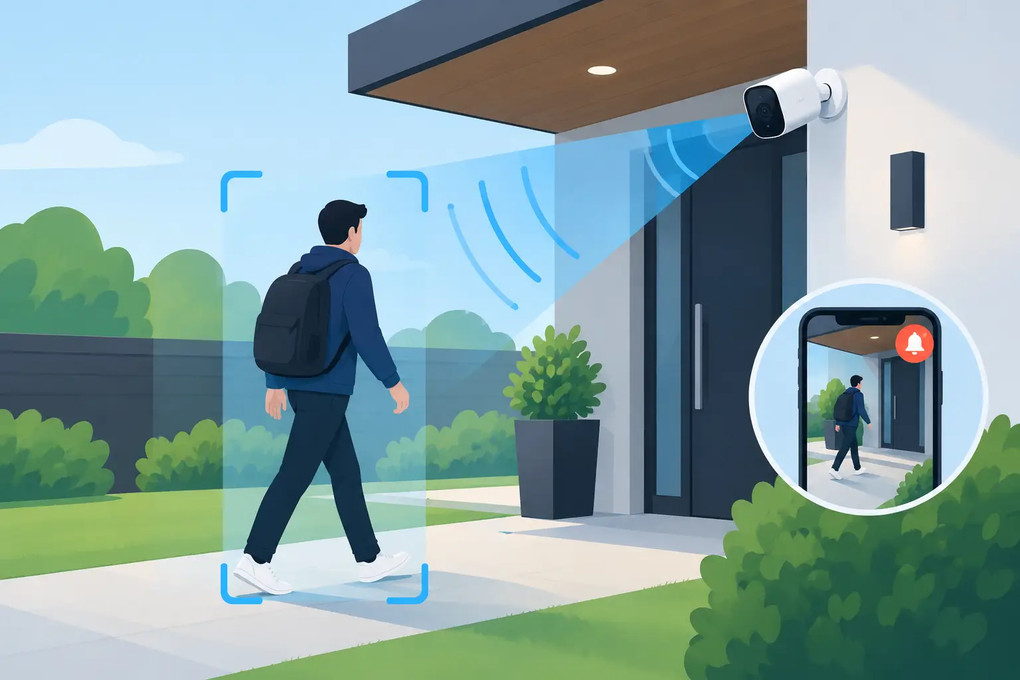
Motion Activated Camera: Smarter Security Coverage
15th Nov 2026
A camera that records every empty hallway, quiet office, or dark living room creates hours of footage and still may not show the moment that matters. A motion activated camera changes the equation by recording when activity occurs, sending an alert when configured to do so, and helping you review a specific event instead of searching through an entire day.
For homeowners, parents, landlords, and business owners, that can mean faster answers after a package goes missing, an employee-only area is accessed, a caregiver arrives, or someone enters a property after hours. The right system is not simply the smallest camera or the highest resolution. It is the device that fits the location, power source, Wi-Fi environment, and evidence requirements without calling attention to itself.
How a Motion Activated Camera Works
Motion activation begins when a camera detects a meaningful change in its field of view. Depending on the model, that may be visual pixel movement, infrared heat movement, or a combination of detection methods. The camera then starts recording to an internal memory card, sends a push alert through a mobile app, captures a clip to cloud storage if supported, or performs several of these actions at once.
This matters because motion recording reduces wasted storage and makes event review more efficient. If a camera is positioned at a front entry, a stockroom door, or a shared living space, you can go directly to the recorded clips connected to movement rather than scroll through continuous footage.
There is a trade-off. A motion-triggered system can miss the first second or two of activity if the camera has a slow wake-up time, particularly with some battery-powered models. Continuous recording provides a fuller timeline, but it consumes more power and storage. For entrances, hallways, drawers, and other areas where activity happens in short bursts, motion activation is often the more practical choice. For a cash register, loading area, or room requiring a complete record, a camera that supports both continuous and motion-triggered recording offers more control.
Choosing the Right Motion Activated Camera
Start with the environment, not the feature list. A camera for a dark garage has different requirements than one placed in a well-lit office or a device used to check on activity in a living room. Resolution, night vision, power, connectivity, and recording options should work together.
A 1080p camera is often sufficient for general room coverage and recognizing people at normal indoor distances. Higher-resolution options can provide more detail for larger rooms, outdoor views, or situations where you may need to crop footage. Resolution alone does not guarantee usable evidence, though. Poor lighting, glare from windows, and an overly wide angle can reduce facial or object detail.
Night vision is especially relevant for entry points, garages, hallways, and businesses closed after dark. Infrared LEDs allow a camera to see in low light, but reflective surfaces can create bright spots or wash out part of the image. Test the view after dark before relying on the camera for a critical area.
Power is another decision that affects reliability. Plug-in cameras are well suited to long-term monitoring because they can remain active without recharging. Disguised cameras built into functional objects, such as phone chargers, clocks, wall outlets, or lamps, can provide a natural power source while blending into an ordinary room. Battery-powered cameras give you more placement flexibility, but battery life depends heavily on how often motion is detected, how often live view is used, and whether infrared night vision is active.
Wi-Fi capability determines how you receive alerts and view live footage remotely. Confirm whether your home or workplace uses 2.4 GHz Wi-Fi, 5 GHz Wi-Fi, or both. Many cameras use 2.4 GHz because it has stronger range through walls, while select models support 5 GHz for environments where that band is required or preferred. A camera with local SD-card recording can still preserve footage if the internet drops, but remote live viewing and immediate push notifications require a stable connection.
When comparing models, look beyond broad claims such as HD or smart alerts. Confirm the actual recording resolution, memory-card support, loop recording behavior, app compatibility, available motion-sensitivity settings, and whether the camera records audio. These details determine how the device performs after installation, not just how it looks on a specification sheet.
Placement Determines Whether Alerts Are Useful
The best camera can produce poor results when it is aimed at the wrong space. For a doorway, position the camera to capture a person approaching or crossing the threshold rather than filming only the top of their head. For a room, avoid placing it directly toward a bright window, television screen, moving fan, or reflective mirror. Each can cause false alerts or reduce image quality.
A discreet camera works best when it belongs in the room. A functioning charger may be appropriate near a desk or kitchen counter. A clock camera makes sense on a shelf. An outlet-style unit belongs where an outlet would normally be found. The goal is not to hide a camera carelessly. It is to select a form factor that looks natural, has a clear line of sight, and can remain in position without being disturbed.
Motion zones and sensitivity settings are just as important as physical placement. If your app allows activity zones, exclude a busy street, a waving tree, or a television area from detection. Start at medium sensitivity, then adjust based on real alerts. Sensitivity set too high can fill your phone with notifications from pets, shadows, or changing light. Set too low, it may fail to capture slower movement or activity farther from the lens.
For outdoor monitoring, use a camera designed for the conditions it will face. Indoor concealed cameras should not be exposed to rain, direct heat, or extreme temperature changes. If you need coverage of a driveway, porch, or perimeter, choose weather-appropriate equipment and make sure its motion detection range covers the approach path.
Set Up Recording for Evidence, Not Just Notifications
An alert tells you something moved. A properly configured recording gives you a chance to understand what happened. Before placing a camera in service, set the correct date and time, confirm the time zone, and test both day and night footage. If the timestamp is wrong, event review becomes more difficult when you need to compare footage with an alarm, delivery record, or access log.
Use a quality, compatible SD card with enough capacity for your recording schedule. Loop recording is useful for ongoing monitoring because the oldest footage is overwritten when storage is full. However, important clips should be downloaded and saved promptly. Do not assume a key event will remain on the card indefinitely if the camera continues recording new motion.
Push notifications should be treated as an alert layer, not the only record. Phone permissions, weak Wi-Fi, app settings, and internet outages can delay or prevent an alert from reaching you. Local recording provides a valuable backup. For higher-priority locations, check the camera periodically instead of waiting until an incident occurs to learn that the lens was blocked, the card was full, or the device lost connection.
Custom Wifi Spy Cameras offers purpose-built concealed and Wi-Fi camera options for buyers who need discreet placement alongside practical features such as motion alerts, night vision, remote viewing, and local recording. The right configuration depends on the room and the monitoring objective, so technical support can be especially useful when selecting a device for a specific installation.
Use Motion Detection Lawfully and Responsibly
Security monitoring should protect people and property without violating privacy rights. Cameras generally belong in spaces where there is a legitimate security purpose and no reasonable expectation of privacy. Bedrooms, bathrooms, changing areas, and other private spaces are not appropriate for surveillance.
Audio recording deserves separate attention. Federal and state consent laws vary, and some states require consent from all parties before a private conversation is recorded. Workplace monitoring may also involve notice requirements, employee policies, union agreements, or state-specific rules. Landlords, caregivers, and business owners should understand the laws that apply to their location and use case before enabling audio or placing any device.
Clear policies can prevent problems before they start. If monitoring employees, work with legal counsel or a qualified HR professional on notice and retention practices. If monitoring a home or caregiving situation, keep the camera focused on safety and security needs, and avoid recording areas beyond that purpose.
A motion activated camera earns its value when it gives you a clear, timely view of the activity you need to know about. Test it in the real conditions it will face, review a few clips before relying on it, and make small placement or sensitivity adjustments until the alerts are useful rather than constant.